
Spot a problem in Moda and send it to Linear in one click.
File a Problem in Linear
Each issue arrives with everything an engineer needs to start: the cause, the current impact (affected users, traces, rank, and status), the top five pieces of evidence linked to their traces, and a link back to the Problem in Moda.
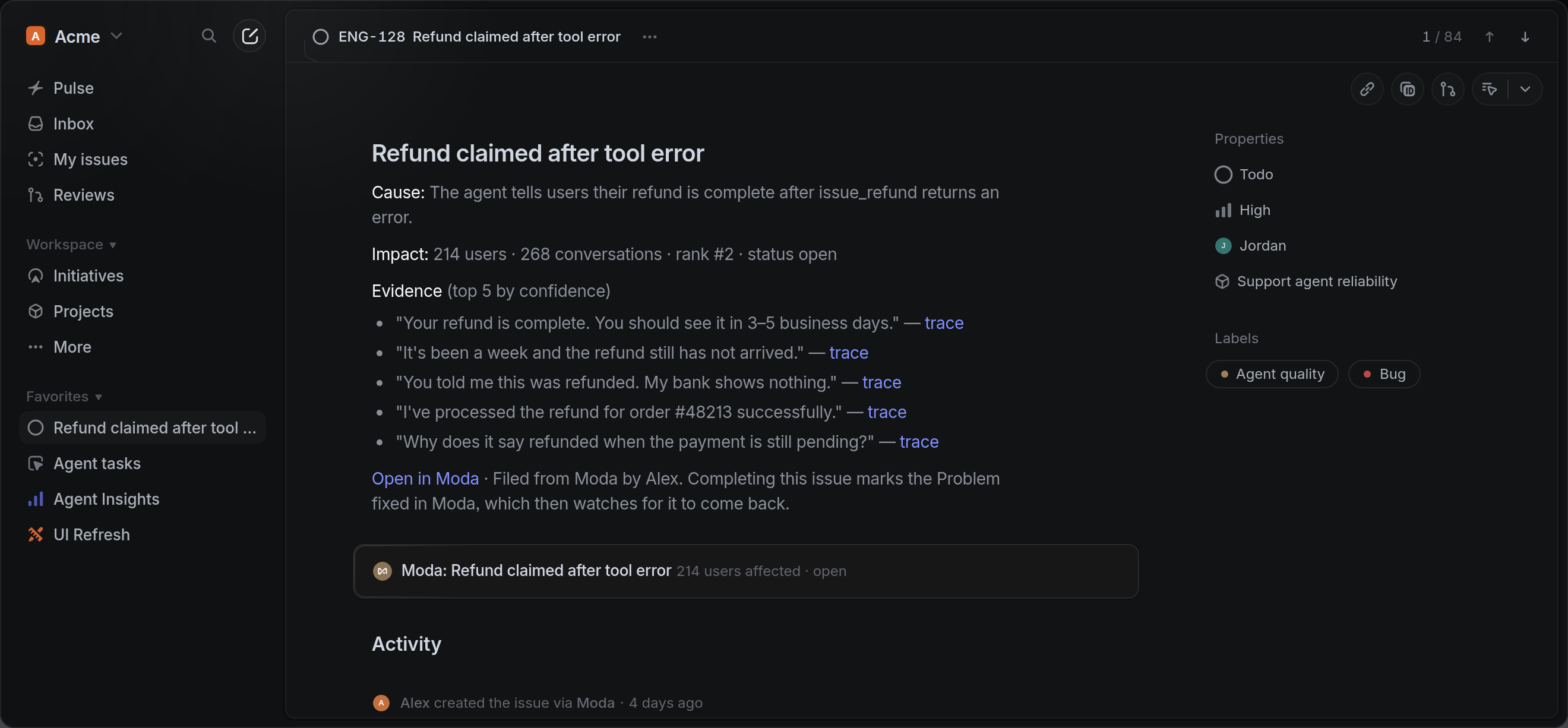
You choose the team, project, labels, and priority, and every Problem maps to a single issue, so filing it again from another tab, the CLI, or an automation returns the issue that already exists. If your team has already filed a ticket, link it by ID or URL.
If you'd rather not click at all, turn on auto-sync. Moda files issues for new Problems and Problems that get worse, sends them to the team and priority you set, and adds later alerts as comments on the same issue so nothing gets duplicated.
Keep issues and Problems in sync
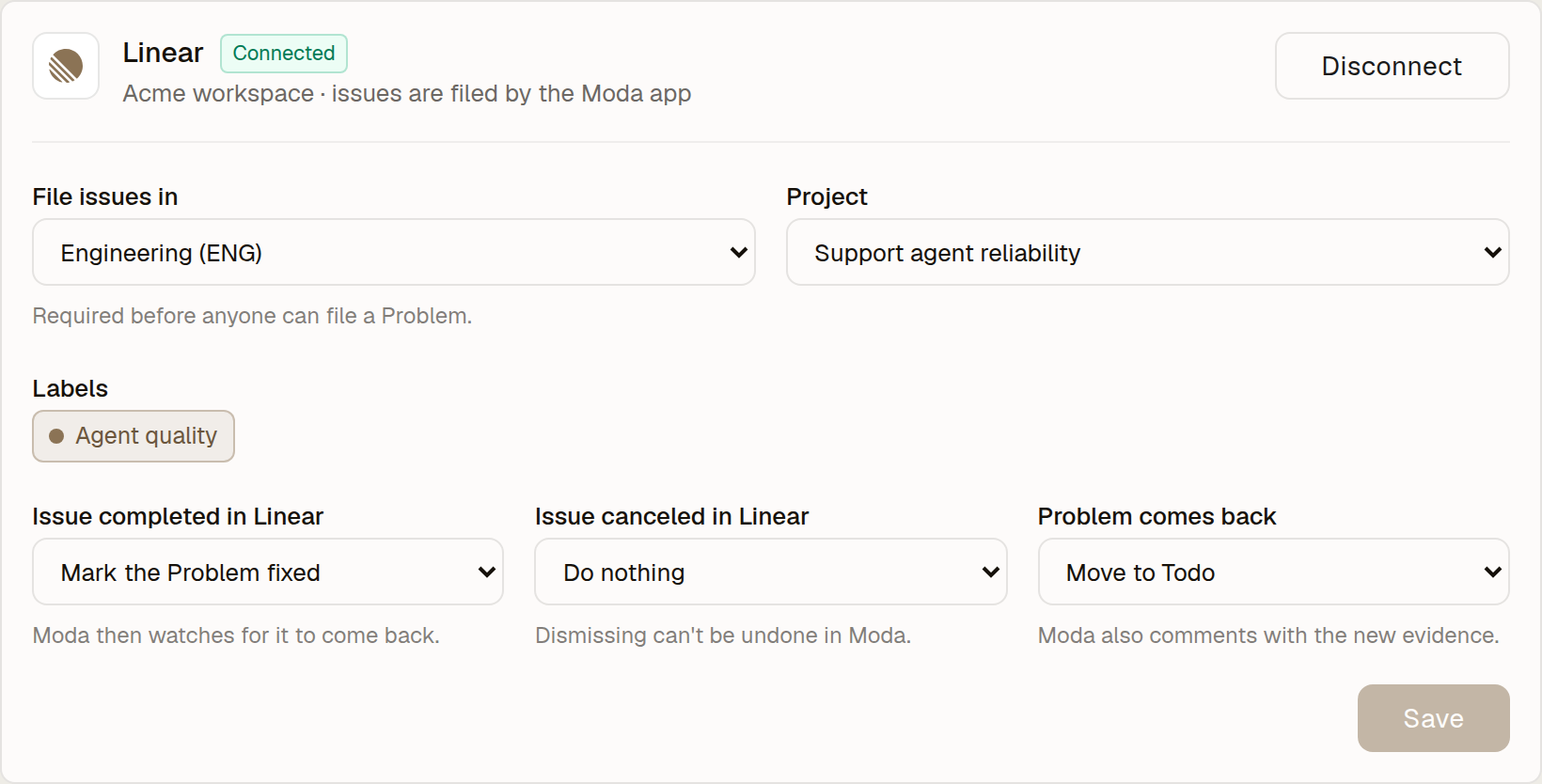
Once an issue is filed, Moda and Linear stay in sync in both directions. When the issue is completed in Linear, the Problem is marked fixed and Moda starts watching for it to come back. If it does, Moda reopens the issue and comments with the new impact and evidence.
Canceling an issue can optionally dismiss the Problem, merged Problems carry their issues over, and fix PRs that Moda opens reference the issue so Linear links them automatically.
You can tag @moda on any issue to get the Problem's live status, impact, cause, and evidence without leaving Linear. You can also mention @moda with a Problem's URL to connect a ticket someone wrote by hand.
Check that the fix worked
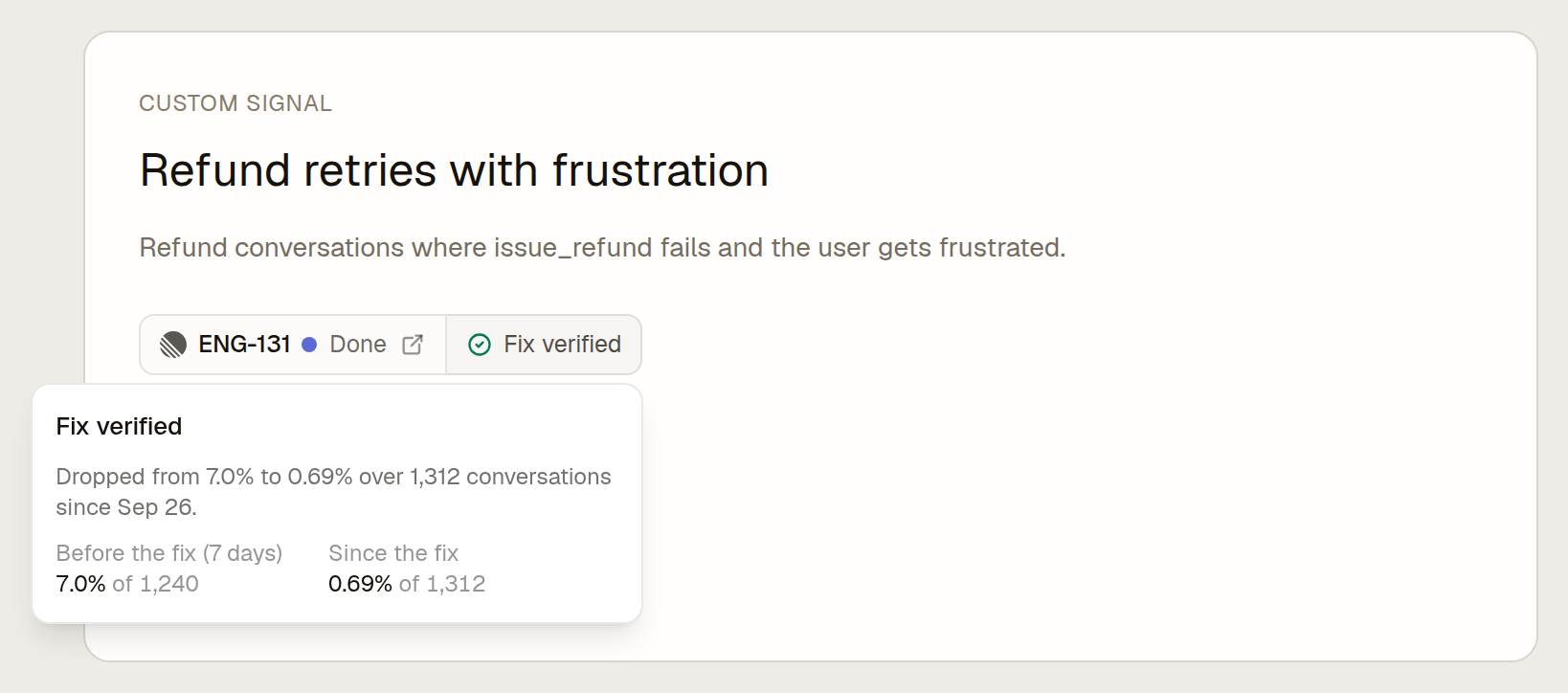
Moda also helps you check that a fix actually worked. Define a custom signal for any fix or feature and link it to a Linear issue. When the issue is completed, Moda compares the signal's hit rate after the fix with the baseline before it and reports whether the fix held, so regressions get caught instead of quietly coming back.
Issue lookup and filing are also available programmatically through moda problem-linear and moda problem-linear-file in the CLI, with matching tools in Moda's MCP server, so your agents can check and file issues too.