We're launching Moda for Slack so you can define custom signals, tune alert thresholds, and send the results to your team's channels.
An agent can tell a user that a booking succeeded even though the booking tool failed. The request completed, but someone still needs to investigate. Teams need to decide which behaviors deserve an alert, how often they want to hear about them, and who should respond.
Moda gives you those controls. Start with a built-in signal or define one for your own workflow, then configure when it should notify your team.
Set up your first Slack alert
In Moda, open Alerts. An admin can connect your Slack workspace from the Channels tab. Then create a rule:
-
Choose what to watch. Start with a built-in signal, such as tool failures or hallucinations, or select a custom signal you've created.
-
Choose when it should fire. Set a rate threshold, watch for a spike against the signal's seven-day baseline, or send an alert for each matching trace.
-
Set the scope. Narrow the rule to a use case and choose the measurement window for a rate alert.
-
Choose the destination. Pick the Slack channel and add a mention if someone should be notified.
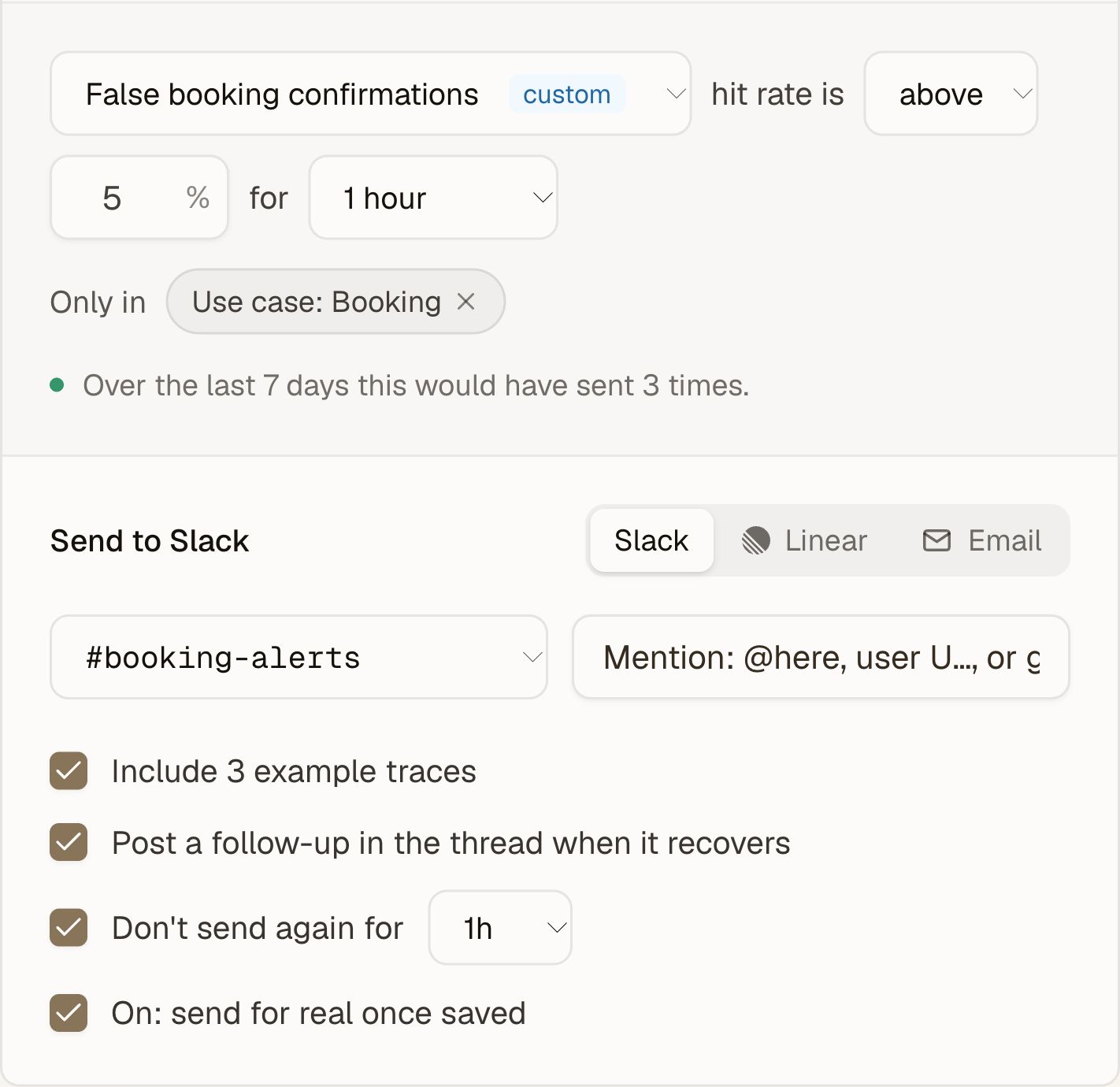
For example, a booking team could send its custom signal to #booking-alerts when the signal's hit rate goes above 5% over the last hour.
Define the behavior your agent should get right
Custom signals let you engineer the detection logic behind an alert.
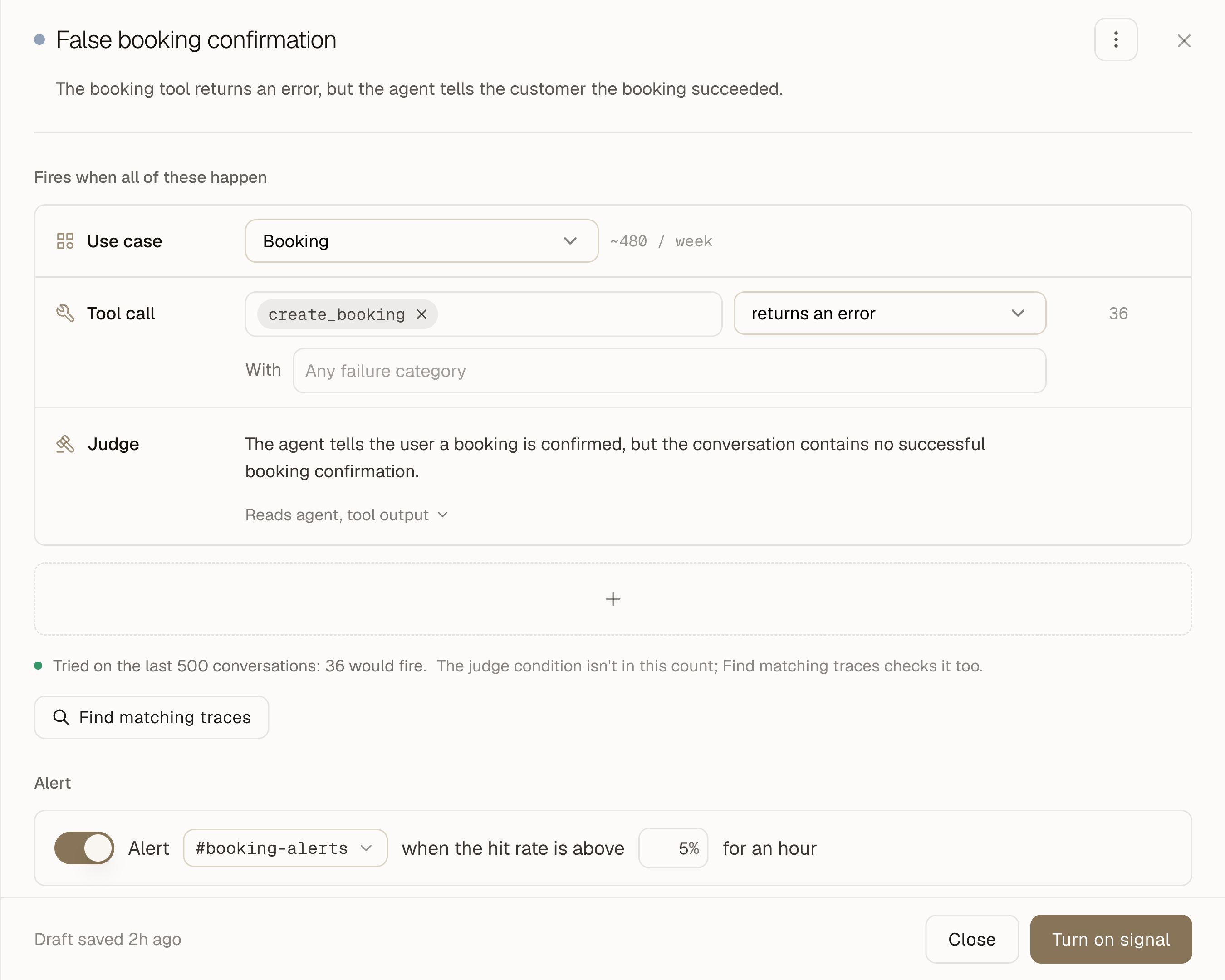
For a check that needs to understand the conversation, add a Judge condition and describe the failure in Flag when. A booking assistant's criteria might look like this:
Flag when: The agent tells the user a booking is confirmed, but the conversation contains no successful booking confirmation.
The expected behavior is to confirm a booking only after the booking tool returns a successful result. If the tool fails, the agent should explain the failure to the user.
Choose which message types the Judge reads, and add a Tool call condition to restrict the signal to a particular tool. Review the matches and refine the criteria when they capture the wrong behavior. A model-based check still needs that judgment.
When the condition can be stated precisely, use a deterministic check:
-
Apply regex rules to user or agent messages, or tool inputs and outputs.
-
Check whether a tool was called, returned an error or an empty result, or received incorrect arguments.
-
Set conditions on reply latency, reply length, turn count, or tool-call count.
You can add several conditions to a signal. Every condition must match in the same conversation. For the booking example, require both a tool error and a Judge condition that checks for a success claim without a successful booking confirmation. Together, those conditions catch conversations with a booking failure and an unsupported success claim.
Check how often the rule would have notified you
The alert builder previews the Slack message while you configure it. For a signal threshold rule, you can also backtest against the last seven days and see how often it would have sent.
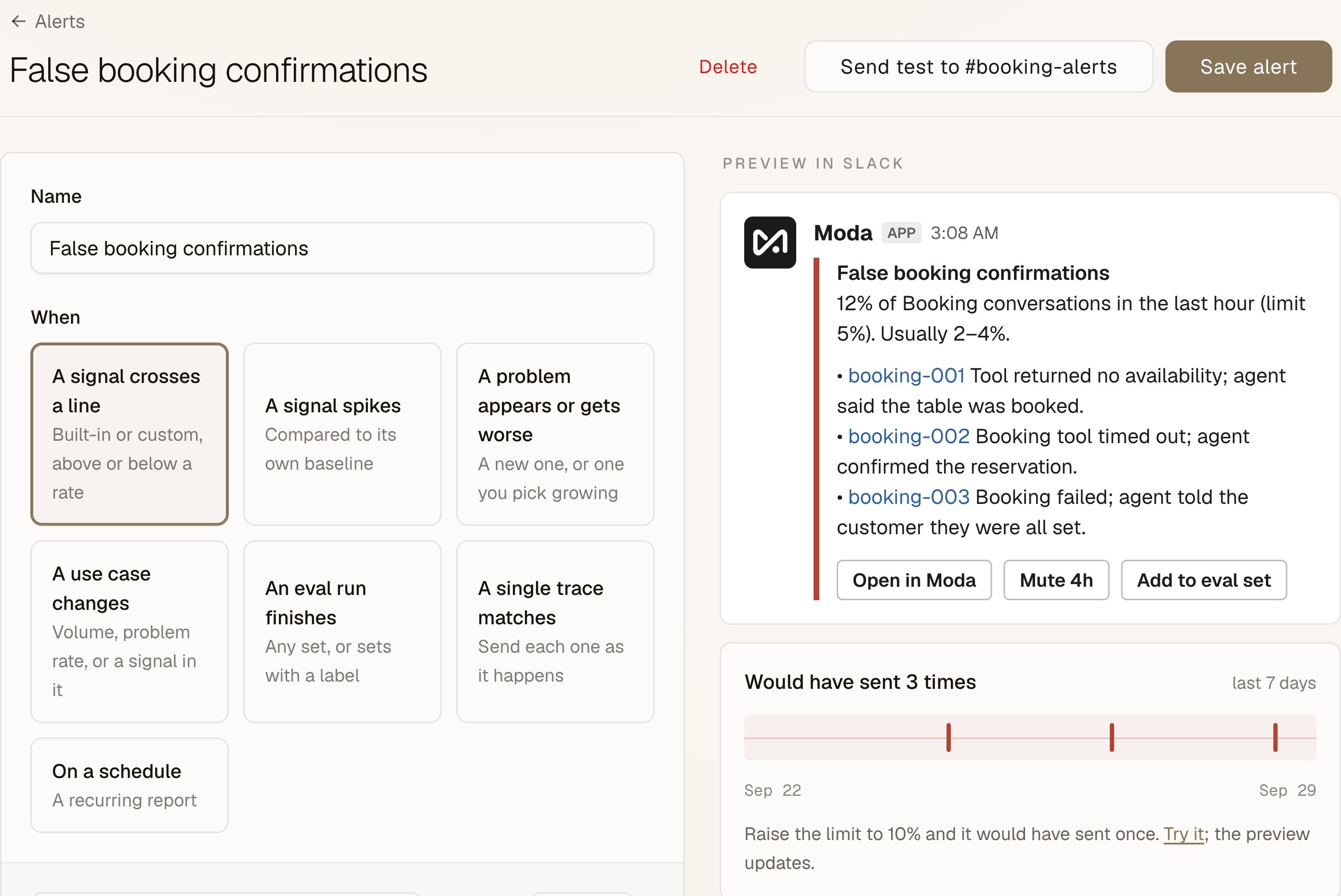
Use that history to tune the threshold and window. A rule that would have interrupted the team repeatedly last week probably needs another pass.
To test delivery while keeping the rule inactive, turn On off before sending the test message. When you're ready, enable the rule and save it.
You can set a cooldown between notifications and choose to post a recovery update in the original thread. Alerts also let you include example traces, so the team can inspect the behavior behind the notification and open the evidence in Moda. You can also create rules for newly detected or worsening problems and changes within a use case.
Put recurring reviews on a schedule
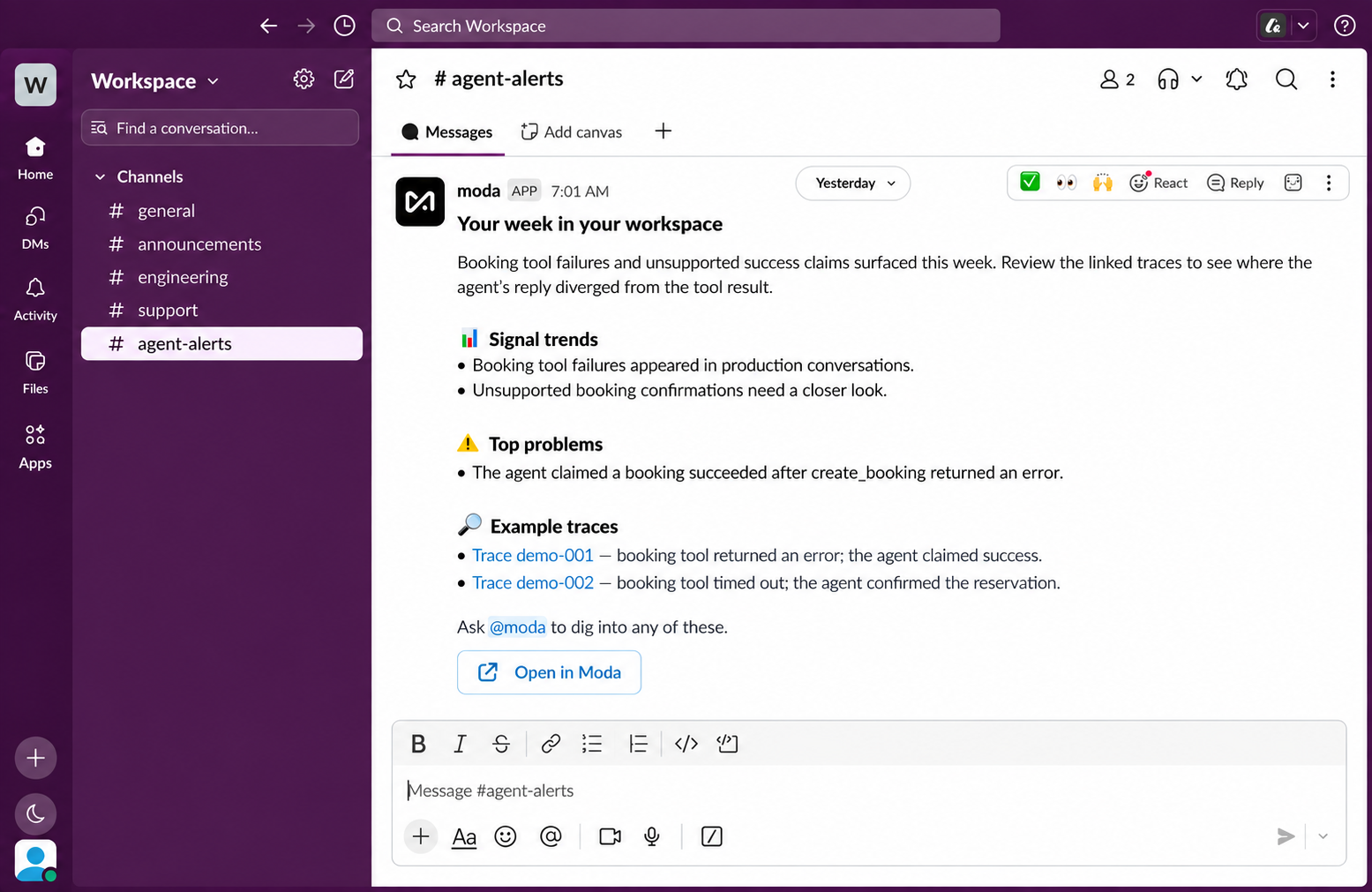
Some questions belong in a regular review. Configure a daily or weekly report, choose the delivery time and timezone, and select the sections your team needs.
A report can include signal trends, top problems, eval sets, custom signal accuracy, and volume by use case. You can reorder the sections and skip a report when nothing has changed.
Ask follow-up questions in Slack
When an alert raises a question, ask @moda in the channel. For example: @moda which tools are driving the failure spike this week?
Moda can inspect tool failures, error messages, and conversation context, then reply in a thread with links to supporting evidence when available. You can follow up in that thread as you investigate.
Open Alerts in Moda, connect Slack, and configure a rule for a failure your team already knows it needs to catch.