8 updates
This is the first issue of the Moda weekly update. We're going to start doing these every single week, so this is one of many. In these weekly updates, we'll cover what we pushed this week on an engineering level, on a product level, and what challenges we faced.
In this update we'll be covering how Jev has changed a meaningful part of our product, how we're focused on analyzing more long-running agents without dropping any context, and the release of our Slack agent for the general public. You can finally talk to alerts and ask questions about them directly where you work.
Sharper signals with Jev

Every signal begins with a classifier screening if it's worth looking at. This classifier was something we put lots of work into. But when it comes to tracking very specific signals that our customers want us to track, it wasn't enough. There was a lack of data, and classifiers weren't always able to differentiate between what we wanted to track and what we didn't.
With Jev, and tons of work, we've been able to track more specific signals that our customers want us to track. We've seen higher confidence scores and more accurate results on our internal benchmarks and metrics by a long shot.
Finding problems by reading whole conversations
As we try to push Moda to the frontier of figuring out problems within traces, a common occurrence in very long-running agents is that one read of the trace for signals or failures is actually not enough.
When a conversation goes dark or quiet, a reader scans it and builds a list of problems and root cause analyses from first principles. This has been in beta for the past two months for some very special customers and is now publicly available in the platform.
A redesigned dashboard
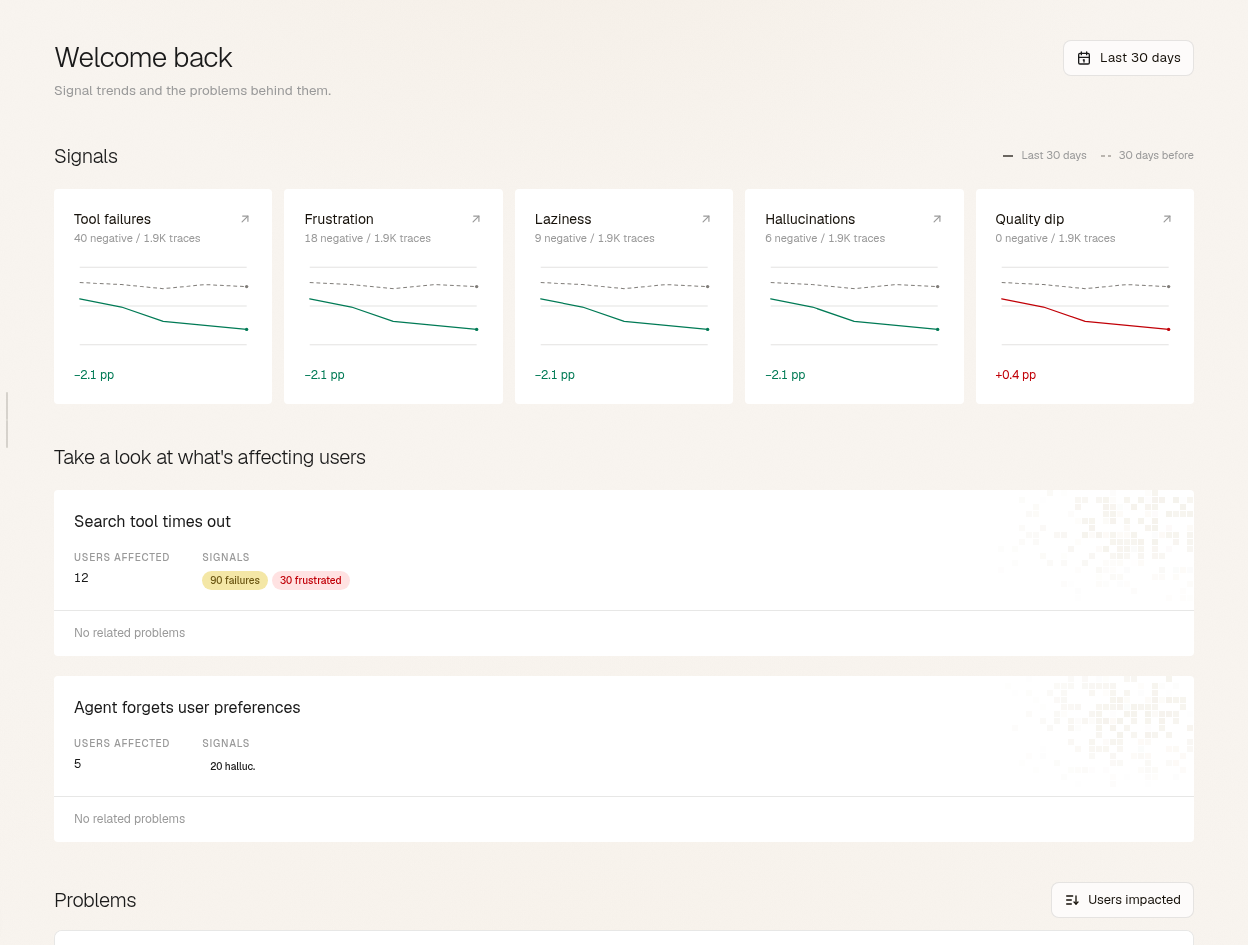
We rebuilt the dashboard so the first thing on screen is what is affecting your users right now. Problems is one list, ranked by users affected, with the largest issue in a spotlight at the top and the next two beneath it.
The Users page has working filters and sort, so pulling up everyone with a low health score or a pile of tool failures takes two clicks.
Modesius opens in a panel beside whatever you're looking at. Select a chart point, a message, a tool call or a filtered page, then ask about that one thing. Conversations are called traces now, everywhere in the product.
The problem view
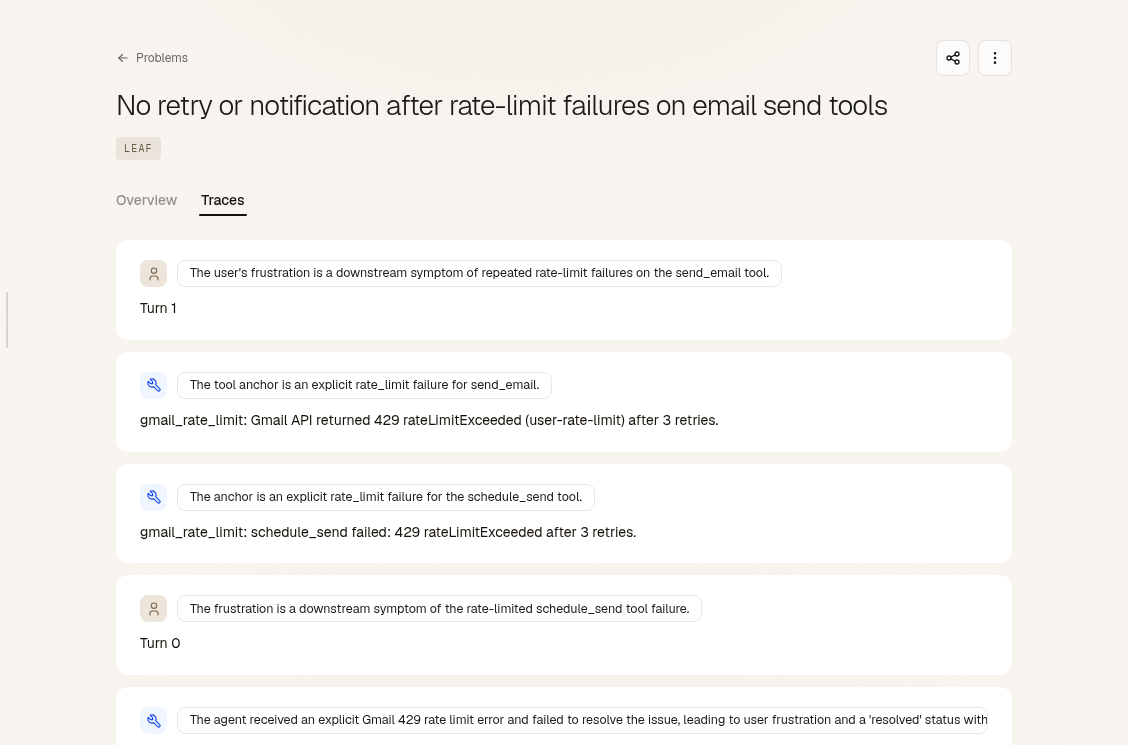
Open a problem and the dossier reads top to bottom. The description sits under the title, followed by the Traces tab. Each excerpt that ties a trace to the problem comes with a note on why it was included and a link to that moment in the thread.
Use cases now list the recurring problems that affect them and how many traces are involved. The link runs the other way as well, so a problem shows the use cases it touches.
A new trace view
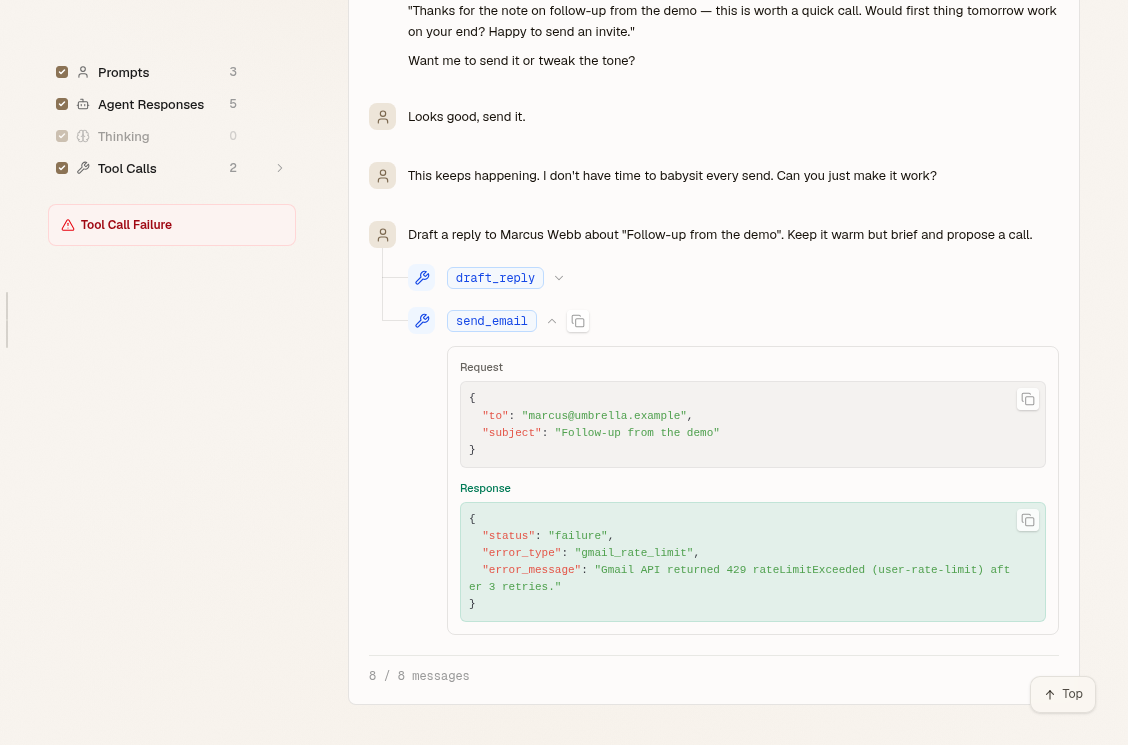
A trace opens at the turn you were sent to and fills in as you scroll. Follow a deep link from a problem or a Slack alert and you land on the right moment without waiting for the whole thread to load.
Tool calls and model reasoning are laid out so you can read them, and structured payloads are highlighted. Turns that came from your harness look different from the user's and the agent's. We took out the turn inspector, and World State stays on the Memory view.
One Signals page
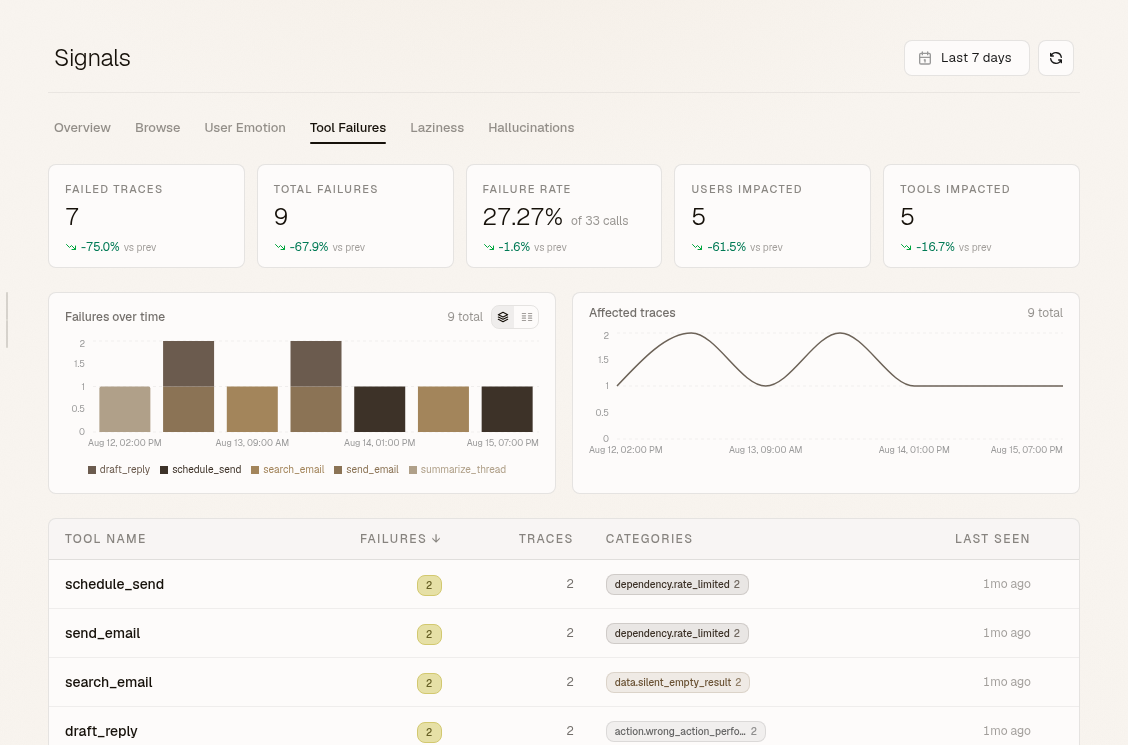
All four signal families sit on one page as tabs: Emotion, Tool failures, Hallucinations, Laziness. Each tab carries its own filters, and every signal links back to the trace it came from.
Tool failures are split now. Moda tells a tool that errored out loud apart from a tool that returned success without doing the job, and it only counts the silent kind when the evidence is unambiguous.
Moda lives where you work
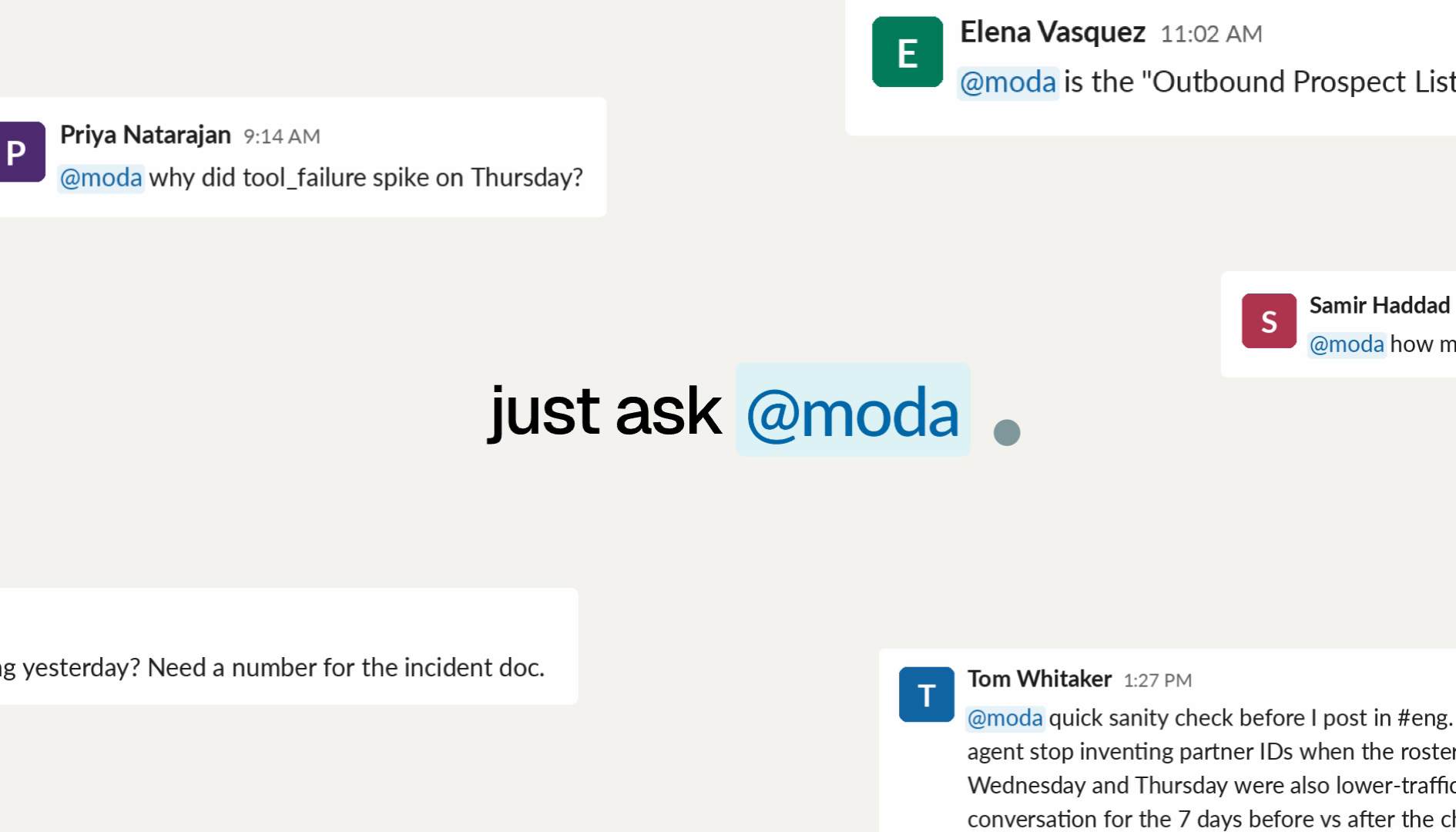
You can now configure alerts on the Moda dashboard based on signals, problems, user history, or user intent. You can also set up digests every day or every week covering the largest findings.
This is a big step towards getting Moda to the point where it can help you troubleshoot issues before they happen. We're working closely with teams to include it in their companies' workflows, beyond engineering teams.
Bring your Braintrust history
 Historical traces
 ModaSignals + problems
You can now backfill your Braintrust traces into Moda. Go to Settings, then Integrations, and connect Braintrust. The import runs in the background, and you can cancel it outright at any time.
The imported traces run through our analysis pipeline incrementally, so you'll start seeing signals and problems appear in your dashboard as soon as they're ready.