4 updates
Welcome to the eighth issue of the Moda weekly update. Last week we added more context to traces and timelines to tasks. This week we've been working on what happens when you need to find one thing in a long conversation.
In this update we'll cover stepping through failures and frustrated messages, browsing more tasks in Clusters, and reviewing multimodal conversations. We've also changed how Moda keeps related problems together as more evidence comes in.
Go straight to the failure
We've added controls that take you through tool failures and user frustration in a trace. Click either signal in the trace header, then use the arrows to move between the recorded events.
A count of failures tells you there's something to look at. In a long conversation, finding each one can still take a lot of scrolling. Each step now opens the event and its details, in either Trace or Timeline.
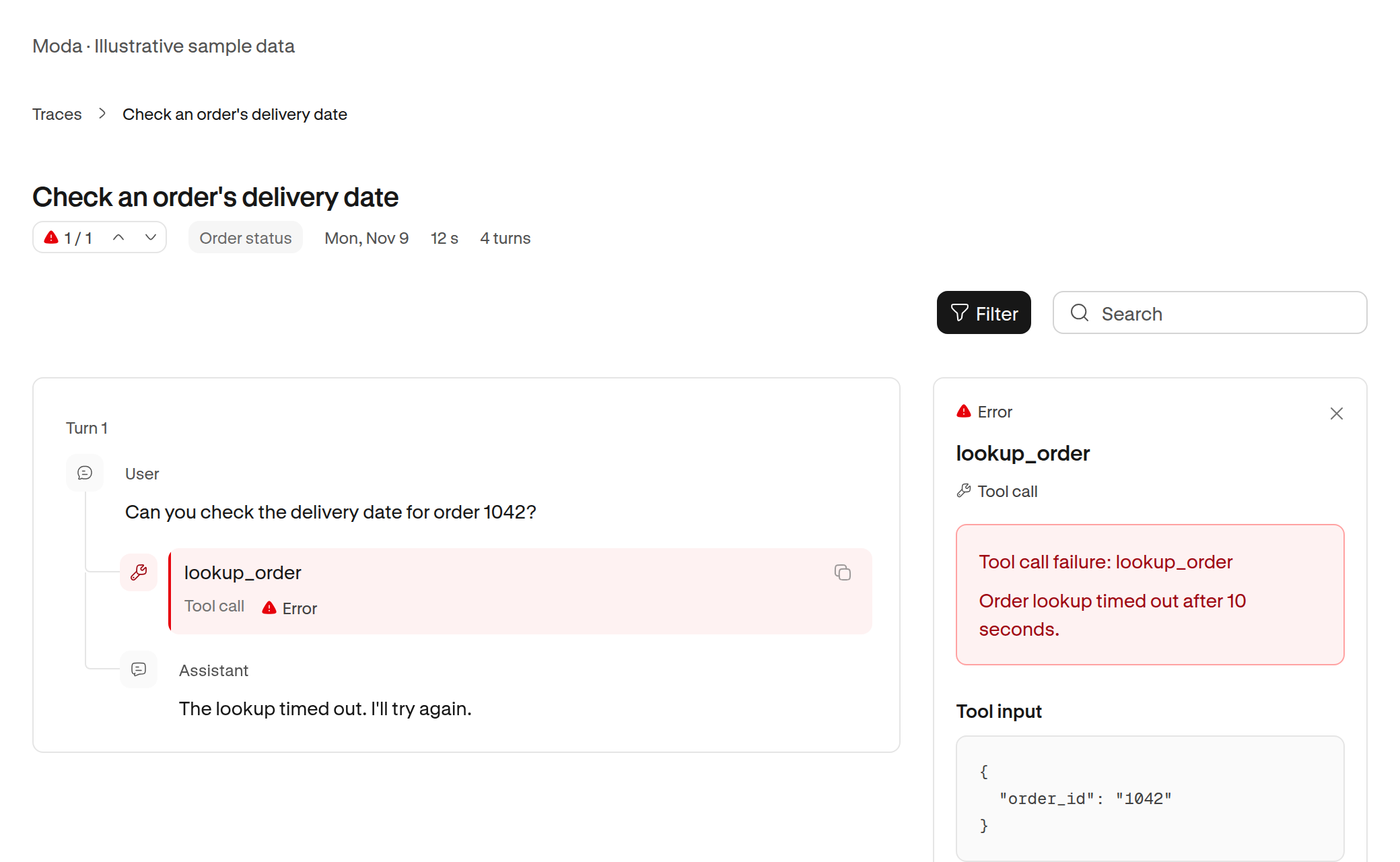
Failed tool calls have a red highlight. Frustrated messages have an orange one. The inspector puts the recorded error at the top, so you can see why a call failed without looking through its metadata.
For traces that are still loading, the tool failure count covers the events loaded so far. It updates as more of the trace arrives.
More tasks in Clusters
You can now page through tasks in the most specific clusters. Each page shows ten tasks and keeps the time range you've selected.
Last week's update made it easier to follow a use case down to a specific kind of work. But a short list of recent tasks could leave you wanting to see more examples. We've added page controls so you can keep reading within that group.
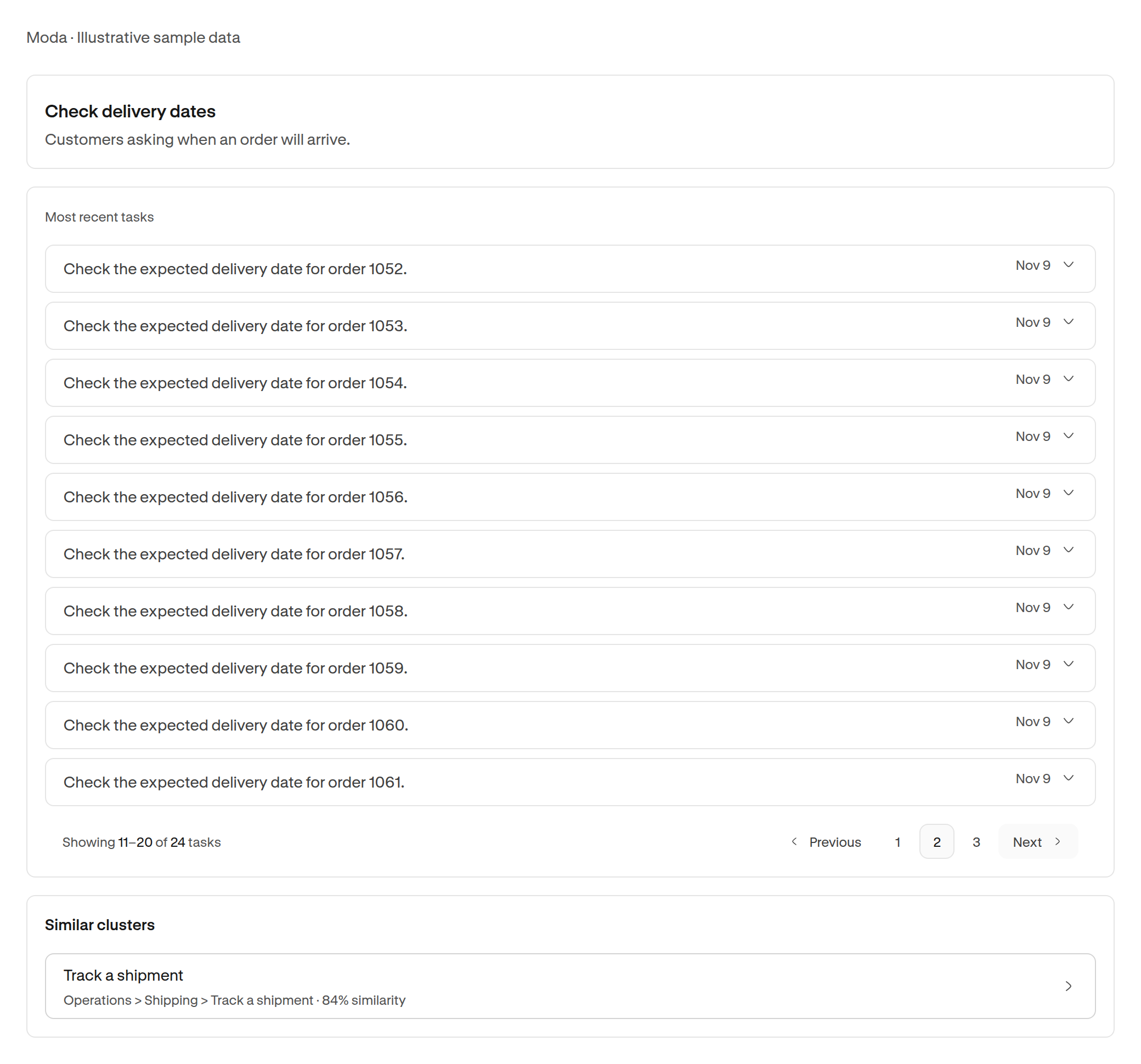
Similar clusters now show their full path too. You can see where a related group sits before you open it, even when its name looks much like the one you're already reading.
Review images, audio, and video in the trace
Multimodal conversations need more than a text transcript. You can now view images and play audio and video inside the message that references them.
When an agent works with a photo, a voice recording, or a video, you need to see what it saw and heard. Keeping those files beside the message lets you review the input alongside the agent's response.
Audio and video have playback controls. You can still download the original file. Files that your browser cannot display stay available to download.
Keeping problems in step with the evidence
We've changed the nightly problem review to check the incidents already grouped under each problem. It can separate groups with different causes, combine groups with the same cause, and update descriptions as the evidence changes.
Two incidents can sound similar while needing different fixes. A problem description can also stop fitting as new examples arrive. The review now checks those relationships against the incident records, instead of starting the grouping again each night.
This change applies to workspaces using the nightly problem review.