3 updates
Welcome to the tenth issue of the Moda weekly update. This one's about search. If you're looking for the trace where a user asked about a refund, you shouldn't have to wait a minute for the list.
Most of what we merged this week was behind the scenes. The changes you'll notice are faster trace search and a Translate button that stays out of the way of English messages.
Faster trace search
Searching the Traces page by message text now returns much faster on large workspaces. On our largest workspace, test searches took about 80% less time, with the same results.
Before this change, a search held every matching message in memory while it worked. On a workspace with millions of messages, that made a common word slow to search, and the broadest searches timed out without an answer. Search now reads the matching text once and loads full messages only for the rows on your page.
We also stopped extra work while you type. Each new keystroke now cancels the search you started a moment earlier, and the page no longer refreshes the list every 15 seconds while a search is active. The Refresh button still runs it again whenever you want.
Some searches still match too much to load. If you search for a very common word across all time, you'll now see a message asking for a longer phrase or a shorter time range, instead of waiting for a timeout.
Translate only when you need it
The Translate button in Problems no longer shows up on long English messages.
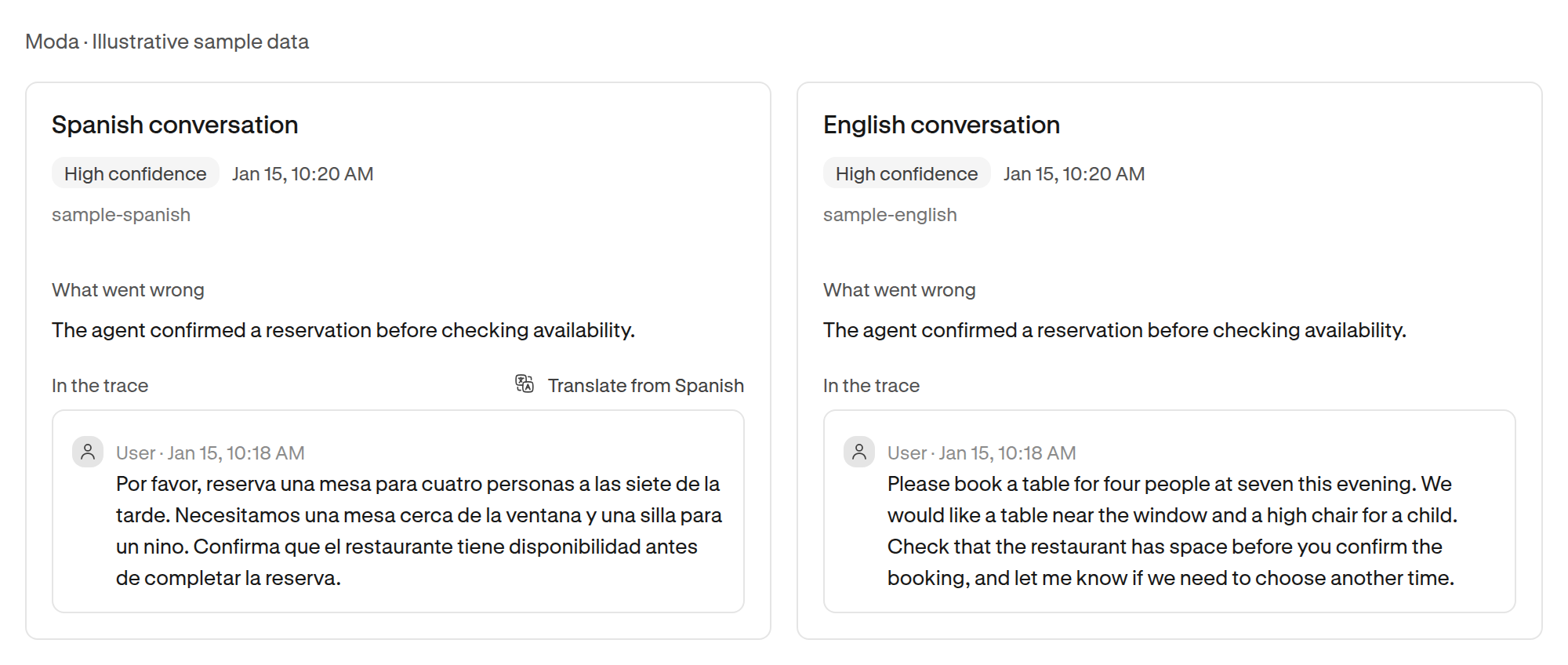
When you open an incident, Moda offers Translate for messages that aren't in English. Long English messages could get that offer too, so you'd see a button that did nothing useful. The language check now looks at long messages as carefully as short ones. If a message could be English, Moda doesn't offer to translate it.
Other improvements
Search and Filter now stay in the toolbar when you switch between Trace and Timeline, on a laptop or a phone.
Page controls under tables also line up evenly now.