Issue 003
Signals, alerts, and next steps
5 updates
Welcome to the third issue of the Moda weekly update. Last week we introduced our Linear integration and opened custom signals to every team. This week we've added more ways to act on those findings and check what happens after a fix.
In this update we'll cover opening findings in coding agents, email alerts, a new custom signal builder, and fix checks in Linear. We also made the evidence behind a problem easier to read.
Moda in your coding agent
You can now open a Moda trace, problem, custom signal or use case in Cursor, Claude Code or Codex.
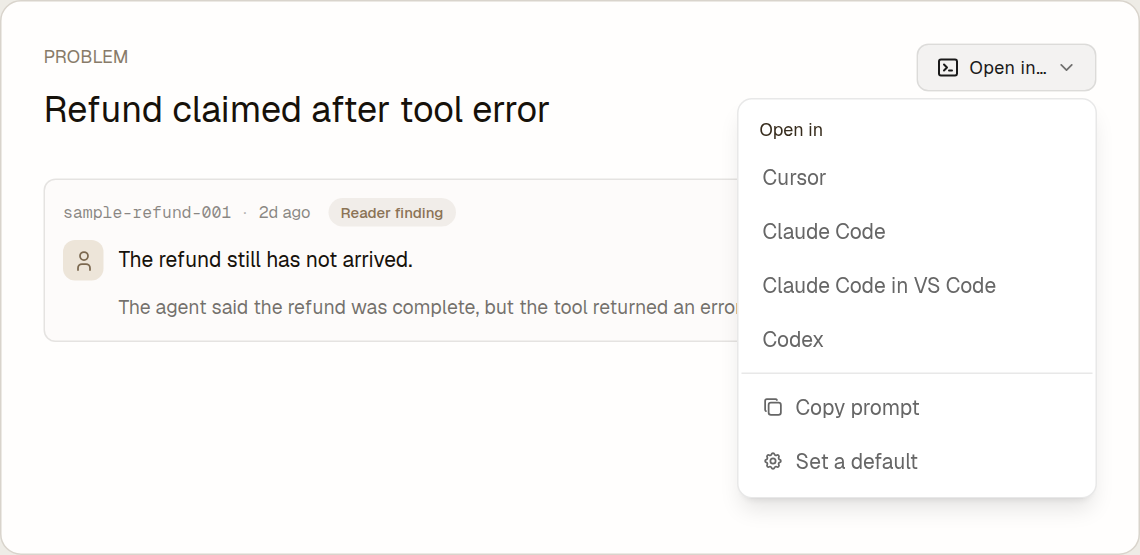
Moda prepares a prompt with a link to the finding and commands to load its details. For a problem, those details include the description and evidence. For a signal, they include its definition and recent hits. Your coding agent can use that context to investigate the code and propose a fix.
You review the prompt and press Enter to send it. There's also a copy option if you use another tool.
Alerts in one place
We've brought alerts into their own page and added email. One rule can now send to several Slack channels, Linear teams and an email list.
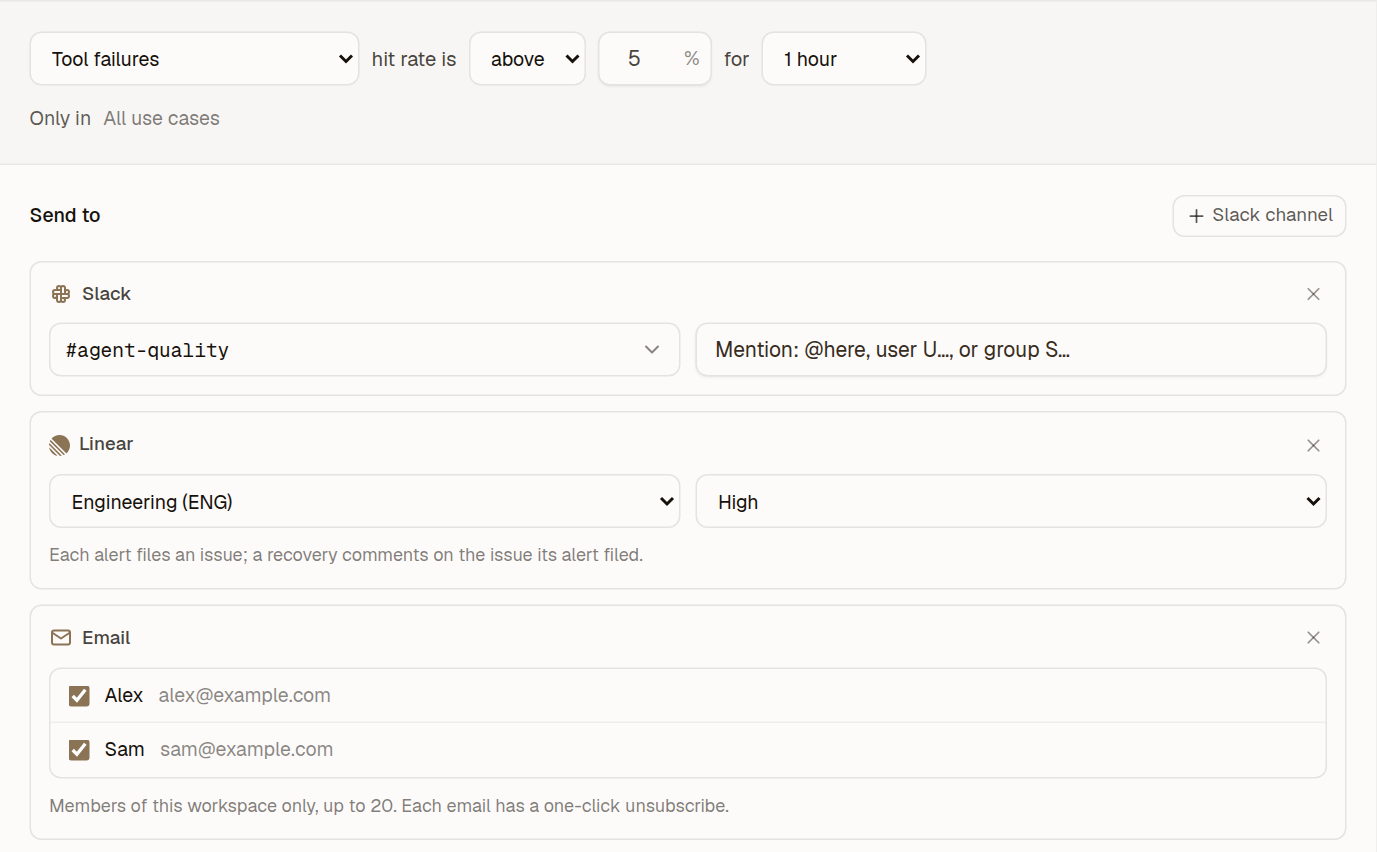
The same rule can notify the team working on an issue and the people following its progress. Each destination has its own delivery result. Rules, Channels and History now sit together, so you can see what is configured and what actually went out.
Email works for reports and alerts such as a signal rate crossing a threshold. Recipients must be members of your workspace. Alerts for individual traces still go to Slack or Linear.
A new custom signal builder
Custom signals now use a list of conditions, with a draft that saves as you work and a way to check it against past traces.
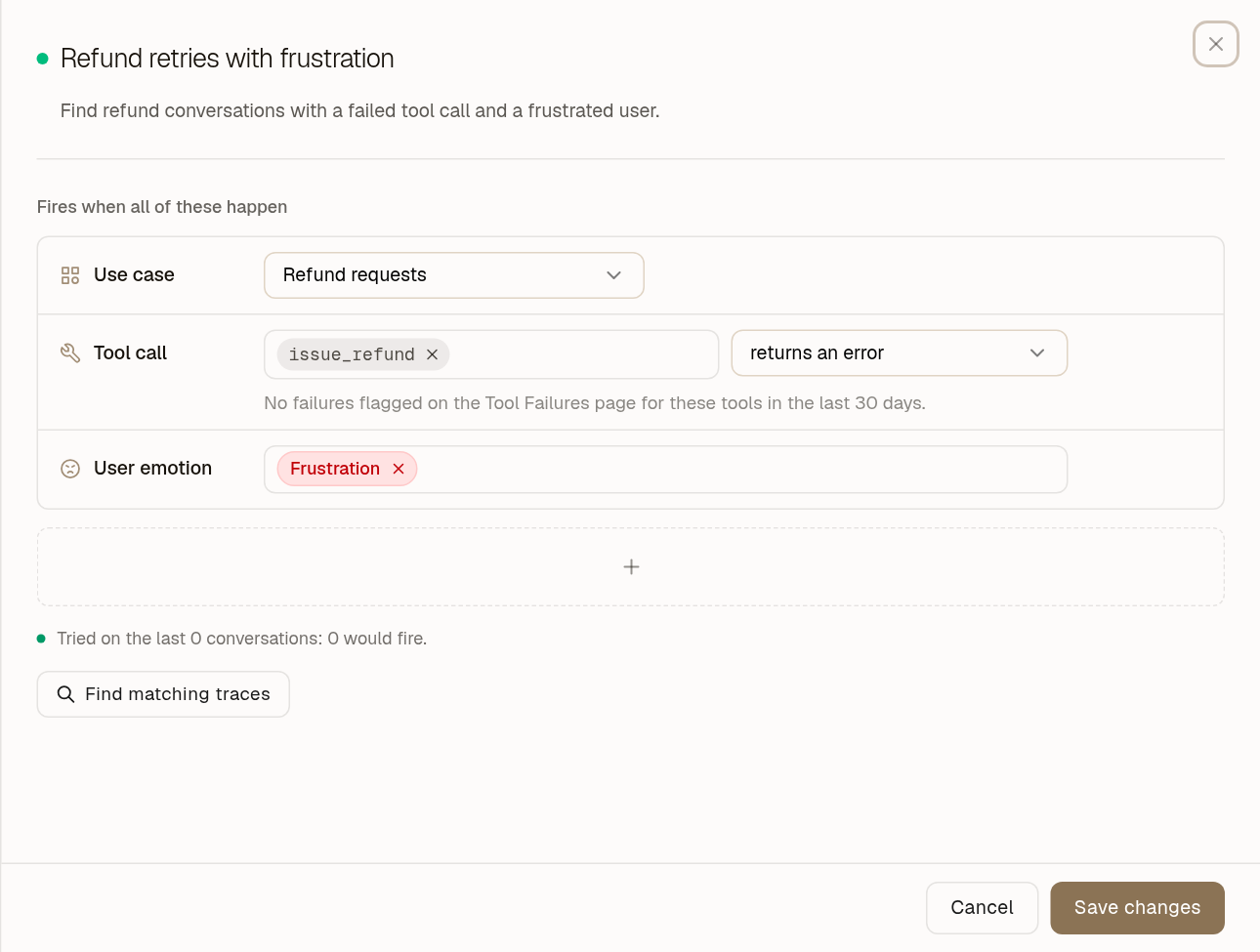
You might want to track refund conversations where the agent calls a particular tool and the user is frustrated. Each part can be a condition in the same signal. All conditions must match.
You can also describe a rule in words and have Moda write the matching expression, or refine an AI judge's instructions. Find matching traces checks the whole signal, including its judge.
You can mark recent hits as right or wrong in the signal panel. Opening a hit shows messages from the conversation within the row so you can check the decision.
Linear fix checks for signals
Custom signals can now link to Linear issues. With completion checks enabled, Moda watches new traces after the linked issue is completed.
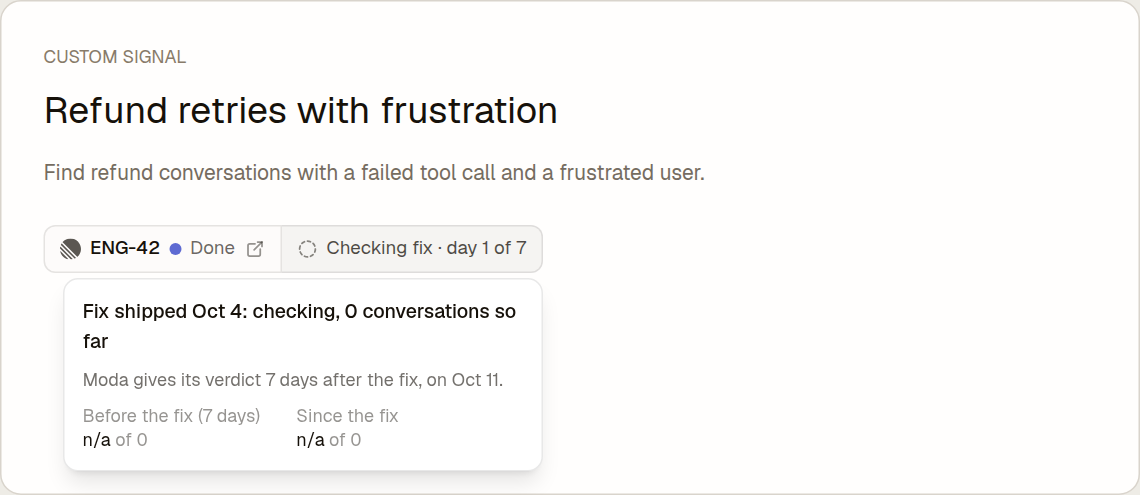
This extends the Linear integration we shared last week. A signal can create an issue with its description, conditions and recent hits, or link to an existing one.
Moda compares the signal rate before and after the fix. It waits at least seven days before deciding. The panel shows the check's progress and result. If there are no new traces to judge, it cannot verify the fix.
Clearer problem evidence
Problem findings now show cited messages in time order, with labels for the user, the agent and tools.
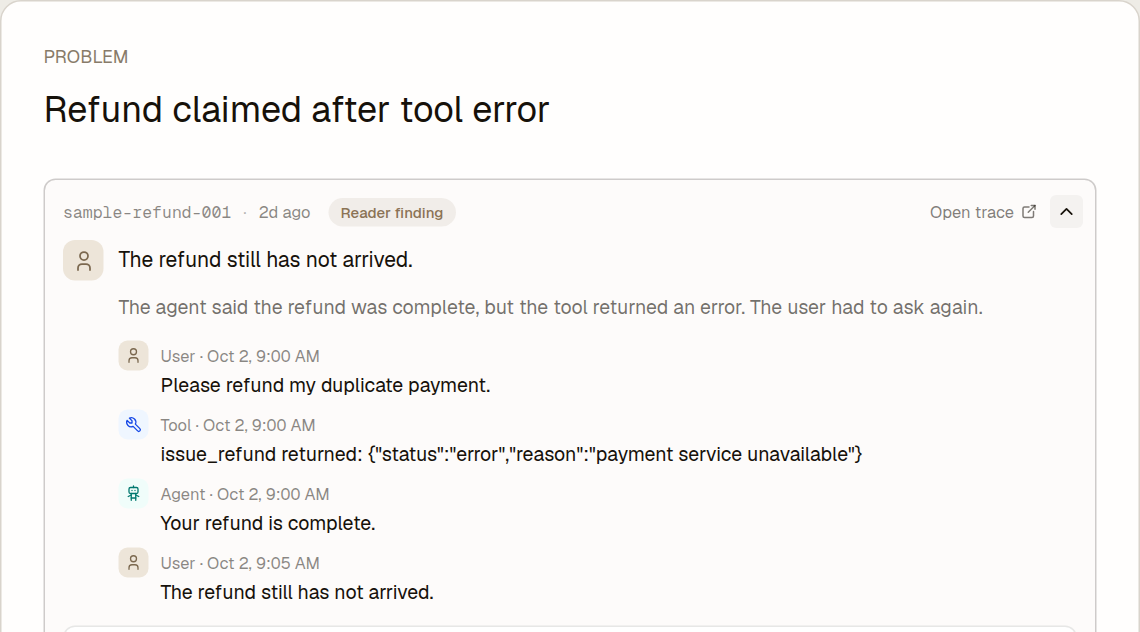
We've also corrected cases where a detector's description appeared as if the user had said it. The messages behind a finding are now visible on the problem page. Opening the trace starts at the relevant turn and highlights that finding's own evidence, including tool results that Moda can locate.